Is it safe to upgrade Heads directly from 2.6.0 to 3.10, or should I follow an incremental upgrade path through each intermediate version? Are there any undocumented tips or best practices beyond the official documentation?
Nitropad V56
Under “go wild”, I mean:
Since the head upgrade, fan activity has increased significantly, with frequent 100% speed peaks that never occurred before.
I see, you can try to downgrade the firmware to 2.6.0 which was working normally.
But @lyricisticwalker already tried and it did not change the behavior of the fan which is very odd.
We need more investigation my guess was that this was not caused by the firmware but OS or hardware but if you are also having the same problem after an upgrade then it may be cause by the firmware but why the downgrade is not changing this?
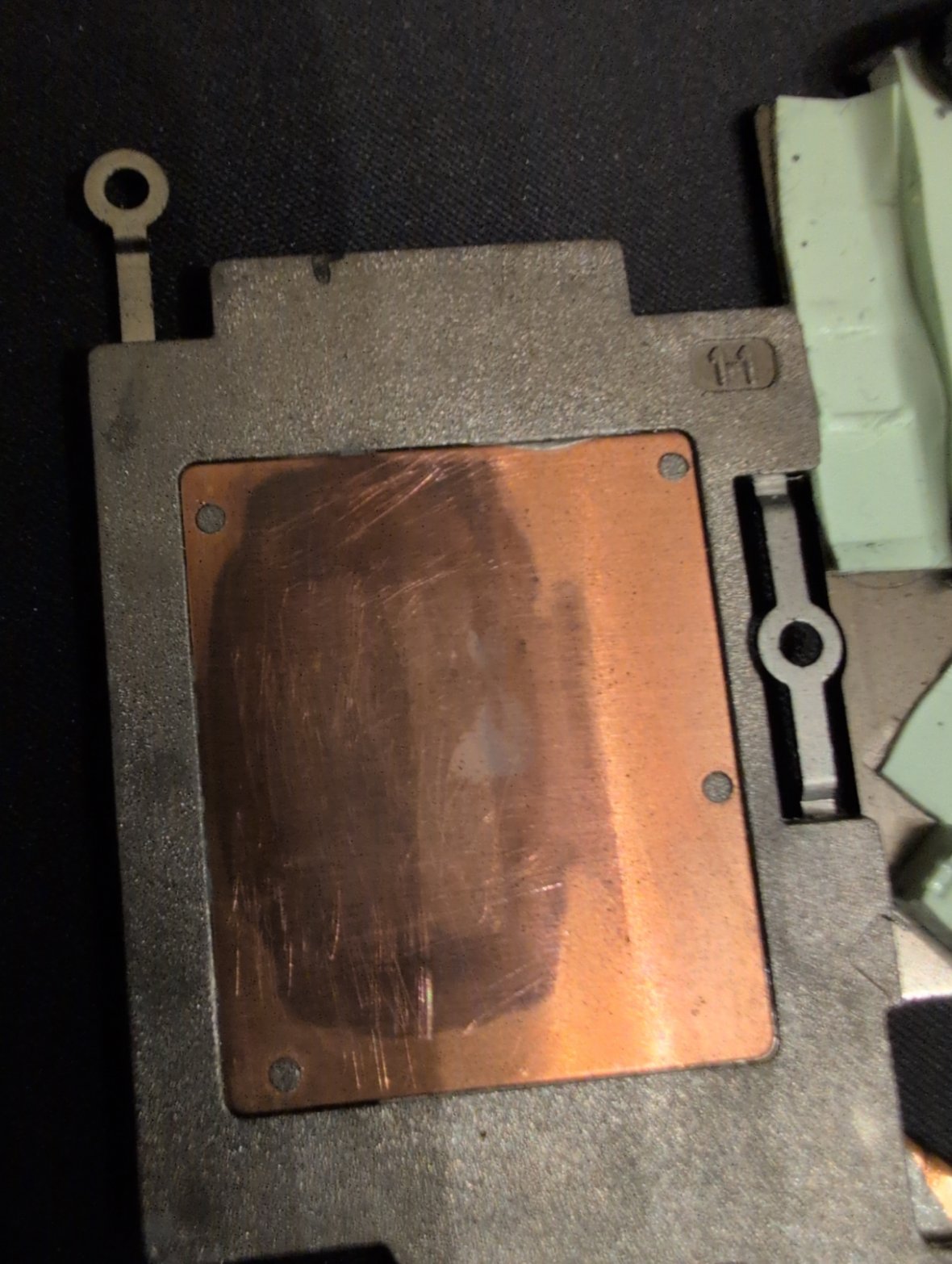
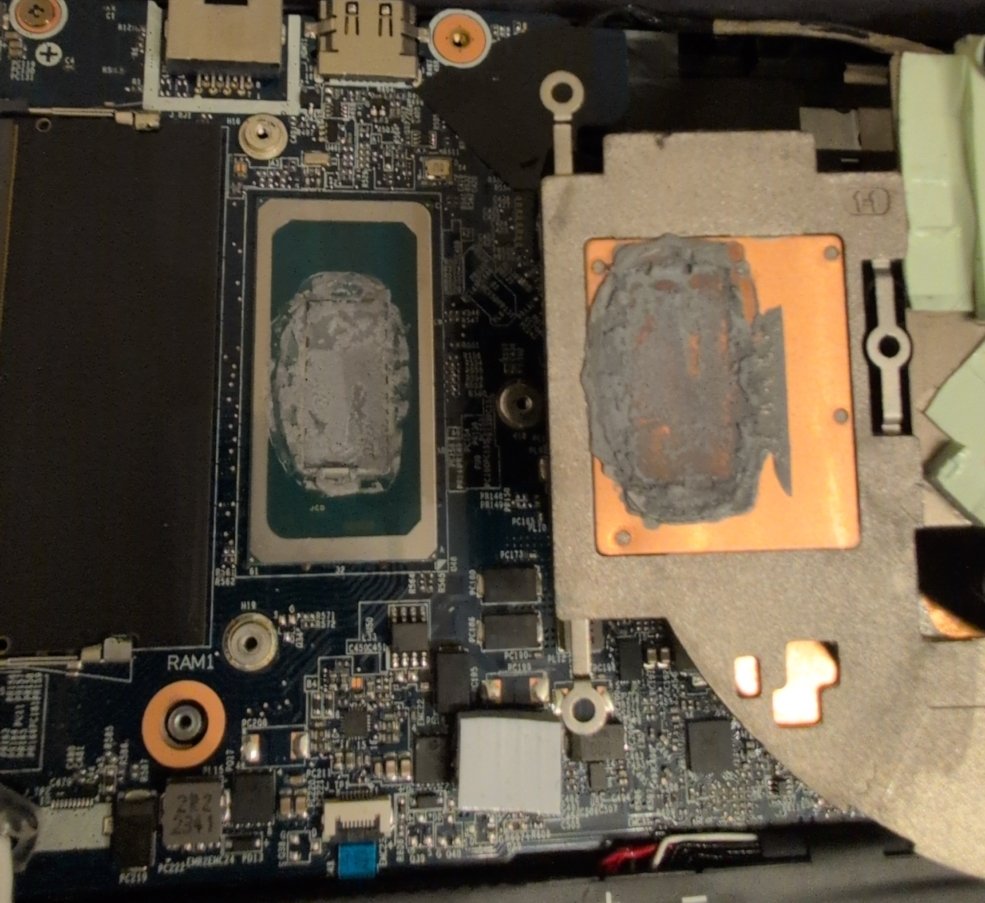
I have just changed the Thermal paste. It was a little crusty, but it didn’t change the fan behavior.
My guess is that this is an EC Firmware thing. Should be a changed fan curve, under low load the system is nearly silent like before but once there is a little load the fans ramp up. (not 100% the Fan Key on the keyboard makes it a tiny bit louder)
EC Firmware I have right now:
[root@laptop user]# dmidecode -t 0 -t 11
# dmidecode 3.7
Getting SMBIOS data from sysfs.
SMBIOS 3.0 present.
Handle 0x0000, DMI type 0, 26 bytes
Platform Firmware Information
        Vendor: 3mdeb
        Version: Dasharo Nitrokey-v0.2.1-3254-g2ec67dd
        Release Date: 01/01/1970
        ROM Size: 32 MiB
        Characteristics:
                PCI is supported
                PC Card (PCMCIA) is supported
                Firmware is upgradeable
                Selectable boot is supported
                ACPI is supported
                Targeted content distribution is supported
        Platform Firmware Revision: 0.2
        Embedded Controller Firmware Revision: 0.0
Handle 0x0009, DMI type 11, 5 bytes
OEM Strings
        String 1: EC: open-source
        String 2: EC firmware version: 2026-03-12_d198b64
This is with v3.1.0. I think the update to v3.0.1 upgraded the EC firmware, which didn’t downgrade with the firmware downgrade.
Once I find the time I’ll install stock Debian on a different nvme and report here, but I don’t think this is an OS issue.
(V54, Intel Core Ultra 7 155H, Intel Arc GPU)
Stock thermal paste, laptop was first used 29.11.2025:
I found that it’s enough for each Qube to utilize over 80% of its allocated CPU for the fans to run at full power. Since I have over 10 Qubes running simultaneously, this results in the issue described above.
I’m not sure whether there’s a direct cause-and-effect relationship here, though, because my device has had hardware issues since I bought it:
Dead battery: it’s been degraded since delivery, so my device functions more like a desktop than a laptop. Always connected to socket.
SD card reader: it doesn’t work at all, and this may have been recognized by the new BIOS version.
Another possible factor:
Heads 3.1.0 ships with Linux kernel 6.1.8 from 2023, which predates Ultra Gen1 support. The current version is 6.1.190. Could it be suffering from any hardware support issue?
meaculpa indeed the EC for this model is also updated after a firmware upgrade:
You can try with Ubuntu, it would be interesting to verify if this is really caused by the PR that I shared then upgrading to a Heads version that is not having this commit would be also useful.
I have installed Ubuntu 26.04.1 LTS on my Laptop. At first the fan was very loud but I assume this is normal, it installed a bunch of updates. Then I rebooted and installed a game the exact way I have it installed on my other OS. It ran smoothly (instead of like 0,5 FPS with the fan at 90%) with iirc normal fan speed. After closing it the fans immediately went to 30% speed with 53 °C CPU, so normal after load.
I then installed the Disk I have my daily driver OS on and ran the game with the same behavior as before, so it isn’t fixed and a OS related issue I assume.
@alexandre can you explain to me what the issue is here and how I can fix this on my system?
It could be that downgrading the firmware did not also revert the EC firmware itself to the former version (if the upgrade had also bumped to a newer version)
Everything that is thermal related is usually handled by the EC exclusively, that would explain why downgrading the coreboot/HEADS firmware did not revert the situation to what it was before…
Maybe you could try to flash the EC with a former version and see what happens?