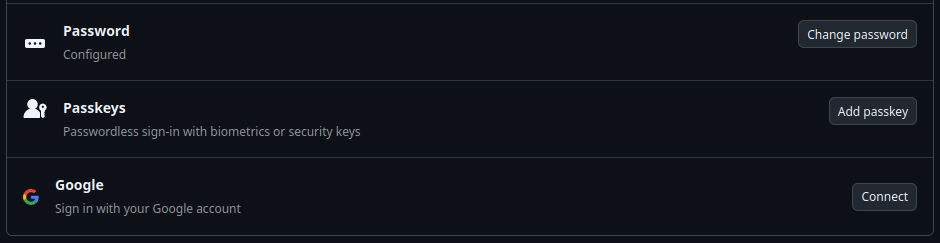
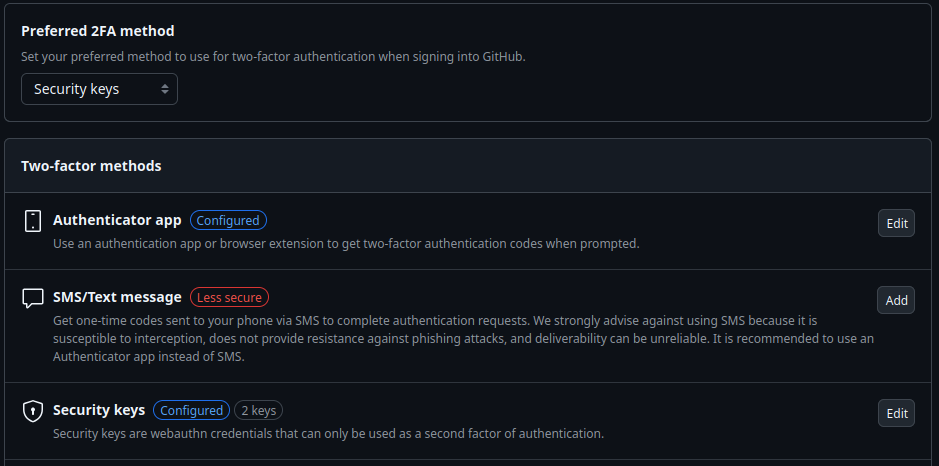
After setting up two NitroKeys 3C NFC as security keys for logging into Github, I discovered today when logging in again that although the key is required when logging in, it is completely sufficient to have it inserted. The key’s PIN is not requested.
To clarify: I did not configure the keys as passkeys to allow logging in without a password, but as security keys. I assumed that in this case, the PIN would also be requested, which apparently does not happen.
Is further investigation necessary? Does anyone recognize this behavior and can explain it?
The software used is:
FireFox 134.0 (64-bit mint-001 - 1.0) on Linux Mint
NitroKey firmware 1.81
After discovering that Proton Mail handles the login process in the same way regarding authentication, meaning that no key PIN needs to be entered when logging in, I’m wondering what the point of this approach is.
After all, at least in my opinion, the key PIN is something you keep in mind. It therefore represents an additional hurdle should such a key be stolen unnoticed. After all, the reason for introducing such keys was to provide an additional factor that makes it impossible for a potential attacker to access appropriately secured accounts.
However, if a powerful attacker has the ability to obtain information about a user’s accounts, including their passwords, this solution no longer provides protection if the key is lost.
From what you describe, you have created passkey for both, github and proton, and not enabled 2-factor authentication (2FA).
With a passkey the service decides during setup, if entering a PIN is necessary. Other services (e.g. a bank) will ask for a PIN with a passkey, depending on their requirements.
To influence having to enter a PIN, other methods are available with the token. If you active 2FA for a service, it should inform you about the options it has for it.
I actually originally set it up that way because I accidentally missed the distinction on GitHub. However, after realizing that I definitely didn’t want to leave the current state as it was due to the associated security concerns, I deleted the keys as passkeys and set them up as security keys.
OK, and here’s my clarification after rereading the documentation very carefully, as I obviously read it too quickly in some places the first time:
I assumed that the NitroKey 3C can be
set up as a passkey with a PIN request (i.e., without any other password, which is something I didn’t want in the first place and therefore didn’t set it up that way).
set up as a security key with a PIN request (i.e., like the previous accesses, with a hopefully secure password, wherever that may come from, and that you also need the NitroKey PLUS the PIN for 2FA).
Actually, according to the documentation, the PIN is ONLY requested if you set up the NitroKey 3C as the sole access option, i.e., without a password.
In the example above, the NitroKey is therefore not set up as the sole access factor, which is why the PIN is not requested.
Even though I’ve obviously misunderstood some of the functionality so far, I’m still asking the question here: Wouldn’t it be better to request the PIN in general?
To clarify:
I have to enter the service’s normal password when logging in, so the NitroKey is NOT configured as a passkey.
After that, the presence of the security key is requested. That means password + key without a PIN. Two factors. That’s enough for me for now to make remote attacks on accounts more difficult.
One final question:
As far as I understand the keys, they aren’t limited to ONE of the functions described in the instructions, but can alternate between one role (TOTP, FIDO2, Password Safe, OpenPGP Card, etc.) and another, as long as there’s enough memory available in the individual roles.
Yes. You have to distinguish the hardware secure element/openpgp card, which can only store the one set of keys, and the other memory (also encrypted) to store the other secrets (and optionally openpgp as well). The latter is shared among secrets, some limits per method apply defined by developers (there is a thread here about it and a blog post with details).
Good you are on the way to sort it for the services. Github, for example, has changed what factors they accept/require as different factors over the years. But all in all they are pretty flexible, once one finds the methods and how to set it up accordingly.
As for the PIN as second factor. Your reasoning is right that you could see the physical key with secret as one factor and the PIN as second. However, keep in mind each of the different PIN unlocks all secrets of the same method.
For online services which start the set up procedure to register a FIDO2 secret, the FIDO2 CTAP protocol expects them to make appropriate choice (which the user can accept or decline). They may request the secret is stored with user PIN verification or not. In other cases, for example if you register a FIDO2 credential for LUKS disc encryption or ssh, you have the setup choice to register one with or without PIN.
Obviously, a service requesting a FIDO2 PIN for an online login won’t have access to another secret, e.g. an SSH key protected with a PIN, or even get know whether another is setup. But from the user perspective it’s still the same factor. Someone shoulder-surfing your FIDO2 PIN and take your key, could use all FIDO2 secrets, e.g. unlock disc encryption, surf to github and proton etc.
Well, especially in connection with the inherently insecure USB, I see a possible gap in the market for a single SecurityKey per access, which also only stores one access, perhaps in a pack of ten with a label field?
Of course, use is only recommended for the really important and daily used access points.