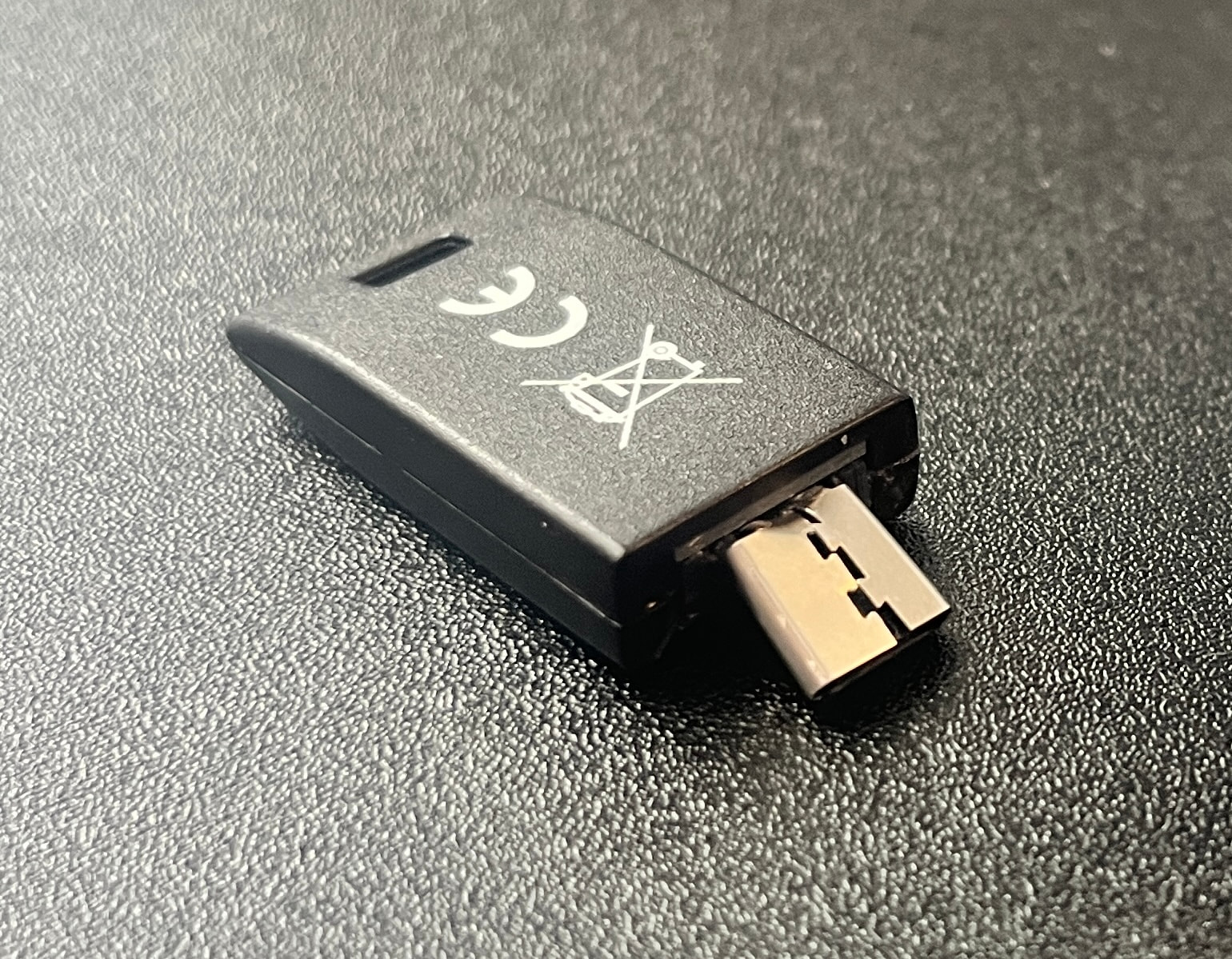
My laptop fell from table height on to my primary Nitrokey 3C NFC in the USB-C port. It got pretty badly bent and will no longer fit back into the port because the shape is wrong.
I still have my secondary. But I don’t understand the concept of buying a new one and making that my new primary. (Or using my secondary as my primary and making the new one my secondary once it arrives.) Is there documentation on this procedure? I’ve gotten very confused.
You may still be able to salvage it carefully, but that does look bad indeed.
Regarding your question, I’m not aware of a documentation covering it. The concept of using and setting up a backup token depends on what features you use on it. In general you can say that for
anything regarding FIDO2/passkeys: You create/register credentials for the backup the same way as you did for the primary. So, for the broken token you can simply create additional new credentials on a replacement token, while using your backup token to login.
An exception is if you use the FIDO2 HMAC-SECRET extension, which can be setup on multiple tokens with a shared secret. This is a type of secret an application like KeepassXC uses, for example. If you use it but don’t have the secret used for setup anymore, the feasible way-out is to use your backup token and export the respective application data safely (keypassxc example). Then re-create with a new (again safely setup secret).
A similar exception are older FIDO U2F secrets, e.g. often used to use a token to login on Linux. You would simply add a new U2F secret for the new token where used.
HOTP/TOTP: you create new ones with the services, or device used. If you use HOTP with a Heads Nitropad, you need to reset it with the new (backup) token and rely on the TOTP secret meanwhile.
Password safe: you need to manually duplicate the credentials for/from the/a backup. There is no functionality to import a list of password secrets to a new token, or export a list from a token.
GPG: If you imported the secrets to the two tokens initially, you can simply redo that with a new token. If you did not import (but generated them on-device), you won’t have a backup since you cannot export secrets. In this case you create new ones and revoke the old ones (to keep it simple).
Depending on what you use and what you re-setup, the final step is to purge secrets linked to the broken token. So, for the FIDO2 secrets you need to identify the ones from the broken token and delete them where they are registered. Theoretically, you could just physically destroy the token, but you might not want to lose overview which credentials are active and obsolete over time. Some services allow you to name secrets (e.g. nitrokey 1, nitrokey 2) or add a comment (e.g. ssh -C “nitrokey 1”), that makes it easier.
Also good to keep in mind: the different PINs you use are token specific, i.e. there is no need to sync any PIN between primary and backup. It is perfectly feasible to have different (e.g. more complex) PIN on the backup token (since you usually store that out of sight). Once you need to use it, you can change PINs to what you consider feasible and secure enough for every day use.
Thank you! You have shown me how I was thinking in a way that introduced complications that simply do not exist. Your reminder that there is no need to sync PINs got me thinking more clearly about how I am using this hardware.