I have an Nitropad V56 with Heads Firmeware.
How can i update my firmeware in Qubes 4.3 Rc2?
Running sudo qubes-fwupdmgr refresh i only get this:
...
Idle...: 0%
WARNING: UEFI firmware can not be updated in legacy BIOS mode
See https://github.com/fwupd/fwupd/wiki/PluginFlag:legacy-bios for more information.
Successfully refreshed metadata manually
Even though it says successfully, it doesn’t seem to really be successful
I guess that Heads Firmware can be updated using this release which is already a pre-release for some time now, when will it become stable?
I have a Nitropad V56 manufactured in 2025, with Heads and Q4.2.
I attempted an in-place upgrade to Q4.3 and it partially installed; error with low memory. It failed in the first few stages before the reboot.
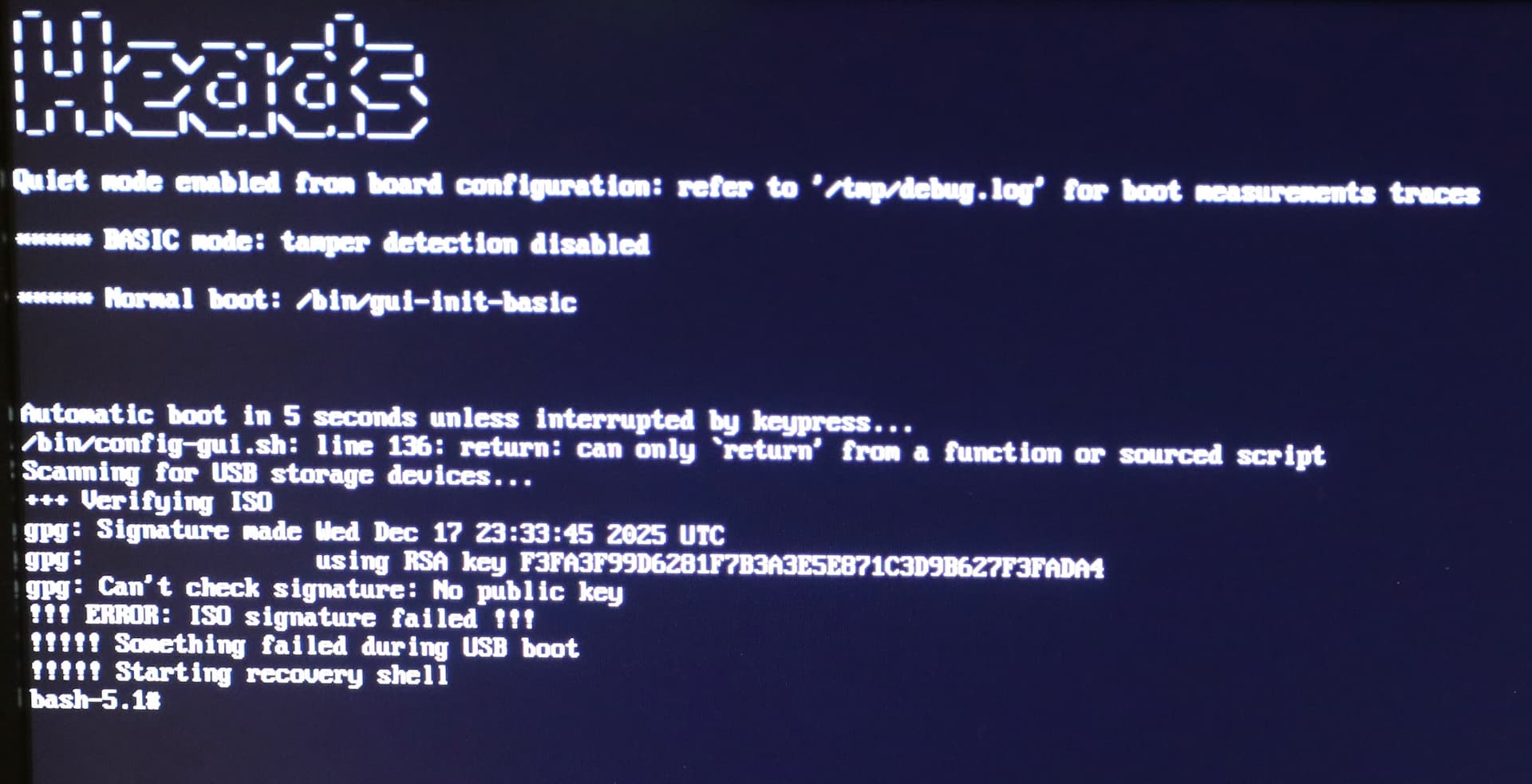
I then attempted a clean install to Q4.3 but it failed when trying a USB with an ISO put on the USB using dd. That failed - could not find the USB but that same USB was used successfully to perform a clean install of Q4.3 on another Nitrokey computer without heads (an older Nitropro I think - with the mini-form factor). I then tried installing using a USB with an ISO and a detached *.asc file and that failed because the signatures were not verified.
I flashed the ISO using dd previously but I suspect I made an error. I just tried using balena etcher and I successfully installed Q4.3 on another laptop that had Q4.2 (a librem 14), so next I’ll try installing on the V56 and I expect it should work fine. Thanks for the help!