Chesnet
September 26, 2025, 10:33am
7
Bonus:
I try to do the procedure described here: CardContact Developer Network - Activation in order to have acces to the repository
Unfortunately, the website is not detecting my key. Do we have to use their specific keys or we can use the Nitrokey HSM 2 for this as this key is supposed to be a “SmarCard HSM” ?
Logs of the JAVA application:
$ java -jar ocf-cc.jar -v
sept. 26, 2025 12:22:28 PM java.util.prefs.FileSystemPreferences$1 run
INFO: Created user preferences directory.
SLF4J: No SLF4J providers were found.
SLF4J: Defaulting to no-operation (NOP) logger implementation
SLF4J: See https://www.slf4j.org/codes.html#noProviders for further details.
OCF1.2;IBM Reference Implementation with OpenSCDP extensions 2.0.2.0.35
At this point I don’t know if the problem is because I need to use their keys to download their repository OR if the Nitrokey can be used but is not detected for the same reason as my previous post…
sc-hsm
September 26, 2025, 1:29pm
8
If the client connect does not work, then the FAQ or the user manual may help.
Problems with the client activation are typically caused by paranoid browser settings or environments that prevent redirects to localhost.
What output do you see in the OCF log ?
Regarding the Nitrokey-App: I’m not sure, if that supports the NItrokey-HSM.
Chesnet
September 26, 2025, 1:51pm
9
I don’t know where we continue this discussion as I also talk in another of your post.
I think here it’s the best location
So first: it’s not completely clear to me If I need to request the access to the git of openscdp or not because I have already downloaded scsh3gui from their website and what I understand is that I “just need it”.
→ If it’s not required to access their GIT then, I don’t need to loose time trying to make the javascript/java thing working and can jump directly to scsh3gui issue
The scsh3gui issue : SmartCard-HSM and PKI-as-a-Service Documentation - #4 by Chesnet
Chesnet
September 26, 2025, 2:11pm
10
When I do Ctrl+M in the Smart Card Shell, I get this error.
The dongle is supposed to appear automatically ? There is nothing else to do ?
sc-hsm
September 26, 2025, 2:19pm
11
When you insert the token, does it show up in “Options” / “Reader Configuration” ?
If not, then Java probably does not find libpcsclite.so or the pcscd does not find the reader.
You can check with
systemctl stop pcscd
/usr/sbin/pcscd -a -d -f
if pcscd detects the token and if Java connects to the daemon.
USER3
September 26, 2025, 2:56pm
12
Hello,
I am the autor, I come back with new account because the forum is trolling me.
What I mean by trolling me:
First I was not able to post a message because it contains “more than two urls” but only 2 was in the message. So I had to post it using pictures
Then there was a limit of 1 picture / message
Then there was a limit of responses (so I had to send you by MP…) (need to wait 19 hours…)
Now I can’t respond to your MP because I need to wait 19 hours…
Now with new account, it gives me the opportunity to continue the discussion for maximum 10 messages
What I wanted to send:
Hallelujah,
I solved the JAVA issue according to what you said by MP: by updating scsh3gui with the path to the library:
#!/bin/sh
cd $(dirname $0)

# If no card reader can be found, then most likely the Java runtime does not find the PCSC client library.
# You will then need to find the folder containing PCSC on MacOSX or libpcsclite.so on Linux and specify
# that path in the Java system property sun.security.smartcardio.library
#
# Examples are
#  -Dsun.security.smartcardio.library=/System/Library/Frameworks/PCSC.framework/Versions/Current/PCSC
#  -Dsun.security.smartcardio.library=lib/x86_64-linux-gnu/libpcsclite.so
#
# If you are using a HDPI Display and the Smart Card Shell appears to small, then try adding
#  -Dsun.java2d.uiScale=2
# to scale the display by 2. The value must be an integer.
#
java -Dsun.security.smartcardio.t1GetResponse=false -Dorg.bouncycastle.asn1.allow_unsafe_integer=true -Dsun.security.smartcardio.library=/usr/lib/x86_64-linux-gnu/libpcsclite.so.1 -Djava.library.path=./lib -classpath 'lib/*' de.cardcontact.scdp.scsh3.GUIShell
Also this is my system specifications:
$ lsb_release -a
No LSB modules are available.
Distributor ID:	Ubuntu
Description:	Ubuntu 24.04.3 LTS
Release:	24.04
Codename:	noble

$ uname -a
Linux hp-ProBook-460-mcaldeira 6.14.0-29-generic #29~24.04.1-Ubuntu SMP PREEMPT_DYNAMIC Thu Aug 14 16:52:50 UTC 2 x86_64 x86_64 x86_64 GNU/Linux

$ java --version
openjdk 11.0.28 2025-07-15 LTS
OpenJDK Runtime Environment Microsoft-11913455 (build 11.0.28+6-LTS)
OpenJDK 64-Bit Server VM Microsoft-11913455 (build 11.0.28+6-LTS, mixed mode, sharing)
Now I’m going to read / process according to your guide.
Thanks
sc-hsm
September 26, 2025, 3:06pm
13
Is that a Java runtime installed from Ubuntu repos ? Because it has “Microsoft” in it’s name.
I guess the JVM looks for the libpcsclite.so at the wrong places. Maybe strace helps to find where is looks.
Chesnet
September 29, 2025, 7:59am
14
Hello,
Thanks for your responses here and on MP it was very usefull.
For the ‘Microsoft’ stuff, this is probably because the “security team” who installed my fresh computer as added “Index of /repos/edge/ ” ppa, in order to install “microsoft defender”
It’s possible that this PPA provide “java”, so when they installed java it takes the JAVA from this repository instead of Ubuntu default one. (this is an idea).
Anyway, as the dongle is now recognised, today i’m going to read your docs and try to setup the ‘authentification n-of-m’ stuff.
But currently if my understanding is correct, it will not match with what we needs:
Just for an example:
At some point of a Yocto build, ‘mkimage’ is used to sign /boot/fitImage file
This tool works with “key files” or “openssl engines”
Currently we use it like this:
mkimage -I dts -O dtb -p 2000 -F -k "token=HUB;pin-value=0000" -r arch/${ARCH}/boot/${2} "-N pkcs11"
So AS-IS it is not compatible with the solution because if my understanding is correct:
it’s not possible just to ‘lock/unlock’ the key using ‘Smart Card Shell’ in order to be able to use it with pkcs11.
So If I wan’t to make it working, I have to “adapt” the softwares used for signature (like mkimage from U-Boot), to alow signing with “Smart Card Shell”
Chesnet
September 29, 2025, 12:42pm
15
@sc-hsm : Can you confirm that ? (i’m currently not able to test, because i need multiples key’s)
sc-hsm
September 29, 2025, 1:25pm
16
Depends.
OpenSC will always create a fresh session that resets the authentication state. Our own PKCS11 Module can detect that some external process authenticated already and will reuse that session.
You need to leave the Smart Card Shell running, so the session is not closed.
You can try that with your setup. Insert the token, login with PIN and start firmware signing with our module configured.
If it fails, create the module with
./configure --enable-debug
and create a directory ~/tmp/sc-hsm-embedded. There you should see the trace of the firmware signer interacting with the PKCS#11 module.
Chesnet
September 29, 2025, 2:25pm
17
Thanks your responses indicate that this is possible so it’s very good.
But currently I’m not able to make it working, it’s always asking the password, even if connected in Smart Card Shell.
This is my process:
Install sc-hsm-embedded pkcs11 module:
sudo apt install -y automake autoconf libtool pkg-config libpcsclite-dev
git clone https://github.com/CardContact/sc-hsm-embedded.git
cd sc-hsm-embedded
autoreconf -fi
./configure --enable-debug
make
make install
The file /usr/local/lib/libsc-hsm-pkcs11.so is correctly installed.
Initialise the Nitrokey HSM 2 (most simple possible):
sc-hsm-tool --initialize --so-pin 0000000000000000 --pin 000000
Create a test key pair:
pkcs11-tool --module /usr/local/lib/libsc-hsm-pkcs11.so --login --pin 000000 --keypairgen --key-type rsa:2048 --id 01 --label "TEST"
Extract the public key and sign a message with it externally (using OpenSSL):
pkcs11-tool --module /usr/local/lib/libsc-hsm-pkcs11.so -r --id 01 -y pubkey > /tmp/pubkey.der
openssl rsa -inform DER -in /tmp/pubkey.der -pubin -outform PEM -out /tmp/pubkey.pem
echo "Message secret" | openssl pkeyutl -encrypt -inkey /tmp/pubkey.pem -pubin -out /tmp/msg.enc
Try to decode the message (with login):
rm /tmp/msg.dec 2> /dev/null
pkcs11-tool --module /usr/local/lib/libsc-hsm-pkcs11.so --decrypt --id 01 -m RSA-PKCS -i /tmp/msg.enc -o /tmp/msg.dec --login --pin "000000"
cat /tmp/msg.dec
At this point: We can decode the message successfully.
Start Smart Card Shell, type Ctrl + M, Login using “PIN”. Wait for “User PIN authenticated (9000)”
Try to decode the message (without login):
rm /tmp/msg.dec 2> /dev/null
pkcs11-tool --module /usr/local/lib/libsc-hsm-pkcs11.so --decrypt --id 01 -m RSA-PKCS -i /tmp/msg.enc -o /tmp/msg.dec
Problem: This is asking for “PIN” code, even if connected in Smart Card Shell
I don’t know if the logs can help in such situations:
Debugging initialized ...
29.08.2025 16:20:03 [131261597755392] Function C_Initialize called.
29.08.2025 16:20:03 [131261597755392] [determineCaller] Caller=/usr/bin/pkcs11-tool
29.08.2025 16:20:03 [131261597755392] Function initSlotPool called.
29.08.2025 16:20:03 [131261597755392] Function initSlotPool completes with rc=0.
29.08.2025 16:20:03 [131261597755392] Function C_Initialize completes with rc=0.
29.08.2025 16:20:03 [131261597755392] Function C_GetSlotList called.
29.08.2025 16:20:03 [131261597755392] Function updateSlots called.
29.08.2025 16:20:03 [131261597755392] Function updatePCSCSlots called.
29.08.2025 16:20:03 [131261597755392] SCardEstablishContext: Command successful.
29.08.2025 16:20:03 [131261597755392] SCardListReaders: Command successful.
29.08.2025 16:20:03 [131261597755392] SCardListReaders: Command successful.
29.08.2025 16:20:03 [131261597755392] Found reader 'Nitrokey Nitrokey HSM (DENK04022760000         ) 00 00'
29.08.2025 16:20:03 [131261597755392] SCardEstablishContext: Command successful.
29.08.2025 16:20:03 [131261597755392] Function addSlot called.
29.08.2025 16:20:03 [131261597755392] Function addSlot completes with rc=0.
29.08.2025 16:20:03 [131261597755392] Added slot (1, Nitrokey Nitrokey HSM (DENK04022760000         ) 00 00) - slot counter is 1
29.08.2025 16:20:03 [131261597755392] Function checkForNewPCSCToken called.
29.08.2025 16:20:03 [131261597755392] SCardConnect (1, Nitrokey Nitrokey HSM (DENK04022760000         ) 00 00): Command successful.
29.08.2025 16:20:03 [131261597755392] SCardControl (CM_IOCTL_GET_FEATURE_REQUEST): Command successful.
29.08.2025 16:20:03 [131261597755392] GET_TLV_PROPERTIES - 0x42330012
29.08.2025 16:20:03 [131261597755392] Function newToken called.
29.08.2025 16:20:03 [131261597755392] Function newSmartCardHSMToken called.
29.08.2025 16:20:03 [131261597755392] Function checkPINStatus called.
29.08.2025 16:20:03 [131261597755392] C-APDU: 00 20 00 81
29.08.2025 16:20:03 [131261597755392] Function encodeCommandAPDU called.
29.08.2025 16:20:03 [131261597755392] Function encodeCommandAPDU completes with rc=4.
29.08.2025 16:20:03 [131261597755392] Function transmitAPDUviaPCSC called.
29.08.2025 16:20:03 [131261597755392] SCardTransmit: Command successful.
29.08.2025 16:20:03 [131261597755392] Function transmitAPDUviaPCSC completes with rc=2.
29.08.2025 16:20:03 [131261597755392] R-APDU: rc=0 SW1/SW2=9000
29.08.2025 16:20:03 [131261597755392] Function checkPINStatus completes with rc=36864.
29.08.2025 16:20:03 [131261597755392] Function allocateToken called.
29.08.2025 16:20:03 [131261597755392] Function allocateToken completes with rc=0.
29.08.2025 16:20:03 [131261597755392] Function decodeLabel called.
29.08.2025 16:20:03 [131261597755392] Function readEF called.
29.08.2025 16:20:03 [131261597755392] C-APDU: 00 B1 2F 03 Lc=04(4) 54020000 Le=10000(65536)
29.08.2025 16:20:03 [131261597755392] Function encodeCommandAPDU called.
29.08.2025 16:20:03 [131261597755392] Function encodeCommandAPDU completes with rc=13.
29.08.2025 16:20:03 [131261597755392] Function transmitAPDUviaPCSC called.
29.08.2025 16:20:03 [131261597755392] SCardTransmit: Command successful.
29.08.2025 16:20:03 [131261597755392] Function transmitAPDUviaPCSC completes with rc=2.
29.08.2025 16:20:03 [131261597755392] R-APDU: rc=0 SW1/SW2=6A82
29.08.2025 16:20:03 [131261597755392] Function readEF fails with rc=-1 "Read EF failed"
29.08.2025 16:20:03 [131261597755392] Function decodeLabel fails with rc=48 "Error reading CIAInfo"
29.08.2025 16:20:03 [131261597755392] Function sc_hsm_loadObjects called.
29.08.2025 16:20:03 [131261597755392] Function enumerateObjects called.
29.08.2025 16:20:03 [131261597755392] C-APDU: 80 58 00 00 Le=10000(65536)
29.08.2025 16:20:03 [131261597755392] Function encodeCommandAPDU called.
29.08.2025 16:20:03 [131261597755392] Function encodeCommandAPDU completes with rc=7.
29.08.2025 16:20:03 [131261597755392] Function transmitAPDUviaPCSC called.
29.08.2025 16:20:03 [131261597755392] SCardTransmit: Command successful.
29.08.2025 16:20:03 [131261597755392] Function transmitAPDUviaPCSC completes with rc=12.
29.08.2025 16:20:03 [131261597755392] R-APDU: Lr=0A(10) 2F02CE01C401CC00CC01 SW1/SW2=9000
29.08.2025 16:20:03 [131261597755392] Function enumerateObjects completes with rc=10.
29.08.2025 16:20:03 [131261597755392] Function addEECertificateAndKeyObjects called.
29.08.2025 16:20:03 [131261597755392] Function readEF called.
29.08.2025 16:20:03 [131261597755392] C-APDU: 00 B1 C4 01 Lc=04(4) 54020000 Le=10000(65536)
29.08.2025 16:20:03 [131261597755392] Function encodeCommandAPDU called.
29.08.2025 16:20:03 [131261597755392] Function encodeCommandAPDU completes with rc=13.
29.08.2025 16:20:03 [131261597755392] Function transmitAPDUviaPCSC called.
29.08.2025 16:20:03 [131261597755392] SCardTransmit: Command successful.
29.08.2025 16:20:03 [131261597755392] Function transmitAPDUviaPCSC completes with rc=34.
29.08.2025 16:20:03 [131261597755392] R-APDU: Lr=20(32) 301E30060C045445535430080401010303066000A10A30083002040002020800 SW1/SW2=9000
29.08.2025 16:20:03 [131261597755392] Function readEF completes with rc=32.
29.08.2025 16:20:03 [131261597755392] Function readEF called.
29.08.2025 16:20:03 [131261597755392] C-APDU: 00 B1 CE 01 Lc=04(4) 54020000 Le=10000(65536)
29.08.2025 16:20:03 [131261597755392] Function encodeCommandAPDU called.
29.08.2025 16:20:03 [131261597755392] Function encodeCommandAPDU completes with rc=13.
29.08.2025 16:20:03 [131261597755392] Function transmitAPDUviaPCSC called.
29.08.2025 16:20:06 [131261597755392] SCardTransmit: Command successful.
29.08.2025 16:20:06 [131261597755392] Function transmitAPDUviaPCSC completes with rc=663.
29.08.2025 16:20:06 [131261597755392] R-APDU: Lr=295(661) 678202917F218202377F4E82012D5F2901007F49820115060A04007F0007020202010281820100839C899E2EE7D765F34D8B8BDFC037E99346659CA56BA3655765B4FA6A4FFB40F8E7CAD0B28950EBA565C7EF4E3473B2E6115FF129C13D96B1FFCC2023522C5917840DB6E112EE22928C7CDC4016C77FCBA9E2E2981E4A5E69D4F3E45F91DBD10581BD38A782926B94285FCFAE016A373BDB9AB121645175215BB4B16143ACC1904C252CA2061FE8DE1694D96C5851D8A58A915033752814D6065A436005170354A8E232738948DF5DF0019A49D44C25B0B2C66FDADB3C06F232F908DD915876D8D32176511F0154F802FE1C360889F6322FE197B2FB05DCE8C61B25F1F115B6D251A496669A558716921338588E2C6D5D7DAA83A76B51B8E9D25D45D99662B582030100015F200C555444554D4D5930303030305F3782010035325A7C8EBA1CCACD01C89371FE1511C6594A6A96429F768D9D4EBB39D81B1989239B567CFC336827E95D28ADA9FDBD6B40C0FB0DA09FA47304C1B826306C13D75E459835871394AF819768A6DEB76345DF7956EE1DC7B4B4646E8A0AE387F0F929B86BDA61430DF685DEE7251FD566C351B8E0BAFB100BC453B5D63E97A5AD8598AB61A2B9C46EF9E6DF1ED0D29AD56DD737C9A95B9E198BCE2A921E54AE5FAE89A61226DFB14CD0539EE10A52A0634FE670328426BA4AFCC132845BFE71A0C6F613CE4C92E38EF4E845BE41570DAC4B90A795A47148C3A42788F1DD432CD4B2B78BA34B69A880E5E094C8DF6E0E1D1B2E4E91D4D13365063239C671293AC7421044454E4B3034303232373630303030305F37404EBACEBEC3C9AC7E82DCB022D3204F6600B4C7991F254EB70A7E2B5020C9EF6D34C44D74C1D090C63EA5F3C0433C720775FB2B067F4D09180F453B21DE63C1D4 SW1/SW2=9000
29.08.2025 16:20:06 [131261597755392] Function readEF completes with rc=661.
29.08.2025 16:20:06 [131261597755392] Function createPublicKeyObjectFromCVC called.
29.08.2025 16:20:06 [131261597755392] ******** attribute list for object ********
29.08.2025 16:20:06 [131261597755392] CKA_CLASS = 2 [0x2]
29.08.2025 16:20:06 [131261597755392] CKA_TOKEN = TRUE [1]
29.08.2025 16:20:06 [131261597755392] CKA_PRIVATE = FALSE [0]
29.08.2025 16:20:06 [131261597755392] CKA_MODIFIABLE = TRUE [1]
29.08.2025 16:20:06 [131261597755392] CKA_LABEL = 54455354 "TEST"
29.08.2025 16:20:06 [131261597755392] CKA_KEY_TYPE = CKK_RSA
29.08.2025 16:20:06 [131261597755392] CKA_ID = 01
29.08.2025 16:20:06 [131261597755392] CKA_START_DATE
29.08.2025 16:20:06 [131261597755392] CKA_END_DATE
29.08.2025 16:20:06 [131261597755392] CKA_DERIVE = FALSE [0]
29.08.2025 16:20:06 [131261597755392] CKA_LOCAL = TRUE [1]
29.08.2025 16:20:06 [131261597755392] CKA_KEY_GEN_MECHANISM = -1 [0xFFFFFFFF]
29.08.2025 16:20:06 [131261597755392] CKA_SUBJECT =  ""
29.08.2025 16:20:06 [131261597755392] CKA_ENCRYPT = TRUE [1]
29.08.2025 16:20:06 [131261597755392] CKA_VERIFY = TRUE [1]
29.08.2025 16:20:06 [131261597755392] CKA_VERIFY_RECOVER = TRUE [1]
29.08.2025 16:20:06 [131261597755392] CKA_WRAP = FALSE [0]
29.08.2025 16:20:06 [131261597755392] CKA_TRUSTED = FALSE [0]
29.08.2025 16:20:06 [131261597755392] CKA_MODULUS = 839C899E2EE7D765F34D8B8BDFC037E99346659CA56BA3655765B4FA6A4FFB40F8E7CAD0B28950EBA565C7EF4E3473B2E6115FF129C13D96B1FFCC2023522C5917840DB6E112EE22928C7CDC4016C77FCBA9E2E2981E4A5E69D4F3E45F91DBD10581..
29.08.2025 16:20:06 [131261597755392] CKA_MODULUS_BITS = 2048 [0x800]
29.08.2025 16:20:06 [131261597755392] CKA_PUBLIC_EXPONENT = 010001
29.08.2025 16:20:06 [131261597755392] CKA_CVC_REQUEST = 678202917F218202377F4E82012D5F2901007F49820115060A04007F0007020202010281820100839C899E2EE7D765F34D8B8BDFC037E99346659CA56BA3655765B4FA6A4FFB40F8E7CAD0B28950EBA565C7EF4E3473B2E6115FF129C13D96B1FFCC..
29.08.2025 16:20:06 [131261597755392] ******** end attribute list ********
29.08.2025 16:20:06 [131261597755392] Function createPublicKeyObjectFromCVC completes with rc=0.
29.08.2025 16:20:06 [131261597755392] Function createPrivateKeyObjectFromP15AndPublicKey called.
29.08.2025 16:20:06 [131261597755392] ******** attribute list for object ********
29.08.2025 16:20:06 [131261597755392] CKA_CLASS = 3 [0x3]
29.08.2025 16:20:06 [131261597755392] CKA_TOKEN = TRUE [1]
29.08.2025 16:20:06 [131261597755392] CKA_PRIVATE = TRUE [1]
29.08.2025 16:20:06 [131261597755392] CKA_MODIFIABLE = TRUE [1]
29.08.2025 16:20:06 [131261597755392] CKA_LABEL = 54455354 "TEST"
29.08.2025 16:20:06 [131261597755392] CKA_KEY_TYPE = CKK_RSA
29.08.2025 16:20:06 [131261597755392] CKA_ID = 01
29.08.2025 16:20:06 [131261597755392] CKA_START_DATE
29.08.2025 16:20:06 [131261597755392] CKA_END_DATE
29.08.2025 16:20:06 [131261597755392] CKA_DERIVE = FALSE [0]
29.08.2025 16:20:06 [131261597755392] CKA_LOCAL = TRUE [1]
29.08.2025 16:20:06 [131261597755392] CKA_KEY_GEN_MECHANISM = 0 [0x0]
29.08.2025 16:20:06 [131261597755392] CKA_SUBJECT =  ""
29.08.2025 16:20:06 [131261597755392] CKA_SENSITIVE = TRUE [1]
29.08.2025 16:20:06 [131261597755392] CKA_DECRYPT = TRUE [1]
29.08.2025 16:20:06 [131261597755392] CKA_SIGN = TRUE [1]
29.08.2025 16:20:06 [131261597755392] CKA_SIGN_RECOVER = FALSE [0]
29.08.2025 16:20:06 [131261597755392] CKA_UNWRAP = FALSE [0]
29.08.2025 16:20:06 [131261597755392] CKA_EXTRACTABLE = FALSE [0]
29.08.2025 16:20:06 [131261597755392] CKA_ALWAYS_SENSITIVE = TRUE [1]
29.08.2025 16:20:06 [131261597755392] CKA_NEVER_EXTRACTABLE = TRUE [1]
29.08.2025 16:20:06 [131261597755392] CKA_WRAP_WITH_TRUSTED = FALSE [0]
29.08.2025 16:20:06 [131261597755392] CKA_UNWRAP_TEMPLATE =  ""
29.08.2025 16:20:06 [131261597755392] CKA_ALWAYS_AUTHENTICATE = FALSE [0]
29.08.2025 16:20:06 [131261597755392] CKA_MODULUS = 839C899E2EE7D765F34D8B8BDFC037E99346659CA56BA3655765B4FA6A4FFB40F8E7CAD0B28950EBA565C7EF4E3473B2E6115FF129C13D96B1FFCC2023522C5917840DB6E112EE22928C7CDC4016C77FCBA9E2E2981E4A5E69D4F3E45F91DBD10581..
29.08.2025 16:20:06 [131261597755392] CKA_PUBLIC_EXPONENT = 010001
29.08.2025 16:20:06 [131261597755392] ******** end attribute list ********
29.08.2025 16:20:06 [131261597755392] Function createPrivateKeyObjectFromP15AndPublicKey completes with rc=0.
29.08.2025 16:20:06 [131261597755392] Function addEECertificateAndKeyObjects completes with rc=0.
29.08.2025 16:20:06 [131261597755392] Function sc_hsm_loadObjects completes with rc=0.
29.08.2025 16:20:06 [131261597755392] Function newToken completes with rc=0.
29.08.2025 16:20:06 [131261597755392] Function checkForNewPCSCToken completes with rc=0.
29.08.2025 16:20:06 [131261597755392] Function updatePCSCSlots completes with rc=0.
29.08.2025 16:20:06 [131261597755392] Function updateSlots completes with rc=0.
29.08.2025 16:20:06 [131261597755392] Size inquiry returns 1 slots
29.08.2025 16:20:06 [131261597755392] Function C_GetSlotList completes with rc=0.
29.08.2025 16:20:06 [131261597755392] Function C_GetSlotList called.
29.08.2025 16:20:06 [131261597755392] Function updateSlots called.
29.08.2025 16:20:06 [131261597755392] Function updatePCSCSlots called.
29.08.2025 16:20:06 [131261597755392] SCardListReaders: Command successful.
29.08.2025 16:20:06 [131261597755392] SCardListReaders: Command successful.
29.08.2025 16:20:06 [131261597755392] Found reader 'Nitrokey Nitrokey HSM (DENK04022760000         ) 00 00'
29.08.2025 16:20:06 [131261597755392] Function updatePCSCSlots completes with rc=0.
29.08.2025 16:20:06 [131261597755392] Function updateSlots completes with rc=0.
29.08.2025 16:20:06 [131261597755392] Function C_GetSlotList completes with rc=0.
29.08.2025 16:20:06 [131261597755392] Function C_GetSlotInfo called.
29.08.2025 16:20:06 [131261597755392] Function findSlot called.
29.08.2025 16:20:06 [131261597755392] Function findSlot completes with rc=0.
29.08.2025 16:20:06 [131261597755392] Function getValidatedToken called.
29.08.2025 16:20:06 [131261597755392] Function getPCSCToken called.
29.08.2025 16:20:06 [131261597755392] Function checkForRemovedPCSCToken called.
29.08.2025 16:20:06 [131261597755392] SCardStatus: Command successful.
29.08.2025 16:20:06 [131261597755392] Function checkForRemovedPCSCToken completes with rc=0.
29.08.2025 16:20:06 [131261597755392] Function getPCSCToken completes with rc=0.
29.08.2025 16:20:06 [131261597755392] Function getToken called.
29.08.2025 16:20:06 [131261597755392] Function getToken completes with rc=0.
29.08.2025 16:20:06 [131261597755392] Function C_GetSlotInfo completes with rc=0.
29.08.2025 16:20:06 [131261597755392] Function C_GetTokenInfo called.
29.08.2025 16:20:06 [131261597755392] Function findSlot called.
29.08.2025 16:20:06 [131261597755392] Function findSlot completes with rc=0.
29.08.2025 16:20:06 [131261597755392] Function getValidatedToken called.
29.08.2025 16:20:06 [131261597755392] Function getPCSCToken called.
29.08.2025 16:20:06 [131261597755392] Function checkForRemovedPCSCToken called.
29.08.2025 16:20:06 [131261597755392] SCardStatus: Command successful.
29.08.2025 16:20:06 [131261597755392] Function checkForRemovedPCSCToken completes with rc=0.
29.08.2025 16:20:06 [131261597755392] Function getPCSCToken completes with rc=0.
29.08.2025 16:20:06 [131261597755392] Function getToken called.
29.08.2025 16:20:06 [131261597755392] Function getToken completes with rc=0.
29.08.2025 16:20:06 [131261597755392] Function C_GetTokenInfo completes with rc=0.
29.08.2025 16:20:06 [131261597755392] Function C_OpenSession called.
29.08.2025 16:20:06 [131261597755392] Function updateSlots called.
29.08.2025 16:20:06 [131261597755392] Function updatePCSCSlots called.
29.08.2025 16:20:06 [131261597755392] SCardListReaders: Command successful.
29.08.2025 16:20:06 [131261597755392] SCardListReaders: Command successful.
29.08.2025 16:20:06 [131261597755392] Found reader 'Nitrokey Nitrokey HSM (DENK04022760000         ) 00 00'
29.08.2025 16:20:06 [131261597755392] Function updatePCSCSlots completes with rc=0.
29.08.2025 16:20:06 [131261597755392] Function updateSlots completes with rc=0.
29.08.2025 16:20:06 [131261597755392] Function findSlot called.
29.08.2025 16:20:06 [131261597755392] Function findSlot completes with rc=0.
29.08.2025 16:20:06 [131261597755392] Function getValidatedToken called.
29.08.2025 16:20:06 [131261597755392] Function getPCSCToken called.
29.08.2025 16:20:06 [131261597755392] Function checkForRemovedPCSCToken called.
29.08.2025 16:20:06 [131261597755392] SCardStatus: Command successful.
29.08.2025 16:20:06 [131261597755392] Function checkForRemovedPCSCToken completes with rc=0.
29.08.2025 16:20:06 [131261597755392] Function getPCSCToken completes with rc=0.
29.08.2025 16:20:06 [131261597755392] Function getToken called.
29.08.2025 16:20:06 [131261597755392] Function getToken completes with rc=0.
29.08.2025 16:20:06 [131261597755392] Function C_OpenSession completes with rc=0.
29.08.2025 16:20:06 [131261597755392] Function C_GetTokenInfo called.
29.08.2025 16:20:06 [131261597755392] Function findSlot called.
29.08.2025 16:20:06 [131261597755392] Function findSlot completes with rc=0.
29.08.2025 16:20:06 [131261597755392] Function getValidatedToken called.
29.08.2025 16:20:06 [131261597755392] Function getPCSCToken called.
29.08.2025 16:20:06 [131261597755392] Function checkForRemovedPCSCToken called.
29.08.2025 16:20:06 [131261597755392] SCardStatus: Command successful.
29.08.2025 16:20:06 [131261597755392] Function checkForRemovedPCSCToken completes with rc=0.
29.08.2025 16:20:06 [131261597755392] Function getPCSCToken completes with rc=0.
29.08.2025 16:20:06 [131261597755392] Function getToken called.
29.08.2025 16:20:06 [131261597755392] Function getToken completes with rc=0.
29.08.2025 16:20:06 [131261597755392] Function C_GetTokenInfo completes with rc=0.
Chesnet
September 30, 2025, 7:37am
18
Am I doing something wrong ?
Chesnet
September 30, 2025, 9:29am
19
I also try another way (using openssl + engine instead of pkcs11-tool) for the decrypt step.
This is how the signature mecanism works (u-boot, sw-update, RZG2UL bootloaders…)
But unfortunately it’s also asking me the “PIN” even if we have “User PIN authenticated (9000)” in Smart Card Shell.
NOTE: The experiment is to check if we can “connect with PIN” in Smart Card Shell and THEN use the key’s externally with openSSL without “login”. (To verify that we can “attach” to an existing session)
Create a file /tmp/openssl.conf:
cat > /tmp/openssl.conf << EOF
openssl_conf = openssl_init

[openssl_init]
engines = engine_section

[engine_section]
pkcs11 = pkcs11_section

[pkcs11_section]
engine_id = pkcs11
dynamic_path = /usr/lib/x86_64-linux-gnu/engines-3/pkcs11.so
MODULE_PATH = /usr/local/lib/libsc-hsm-pkcs11.so
init = 0
EOF
Try to decode the message (with login):
$ OPENSSL_CONF=/tmp/openssl.conf openssl pkeyutl -engine pkcs11 -keyform engine -decrypt -inkey 'pkcs11:object=TEST;type=private;id=%01;pin-value=000000' -in /tmp/msg.enc -out /tmp/msg.dec
Engine "pkcs11" set.
$ cat /tmp/msg.dec
Message secret
$
Start Smart Card Shell, type Ctrl + M, Login using “PIN”. Wait for “User PIN authenticated (9000)”
Try to decode the message (without login):
$ OPENSSL_CONF=/tmp/openssl.conf openssl pkeyutl -engine pkcs11 -keyform engine -decrypt -inkey 'pkcs11:object=TEST;type=private;id=%01' -in /tmp/msg.enc -out /tmp/msg.dec
Engine "pkcs11" set.
Enter PKCS#11 token PIN for SmartCard-HSM:
Chesnet
September 30, 2025, 1:33pm
20

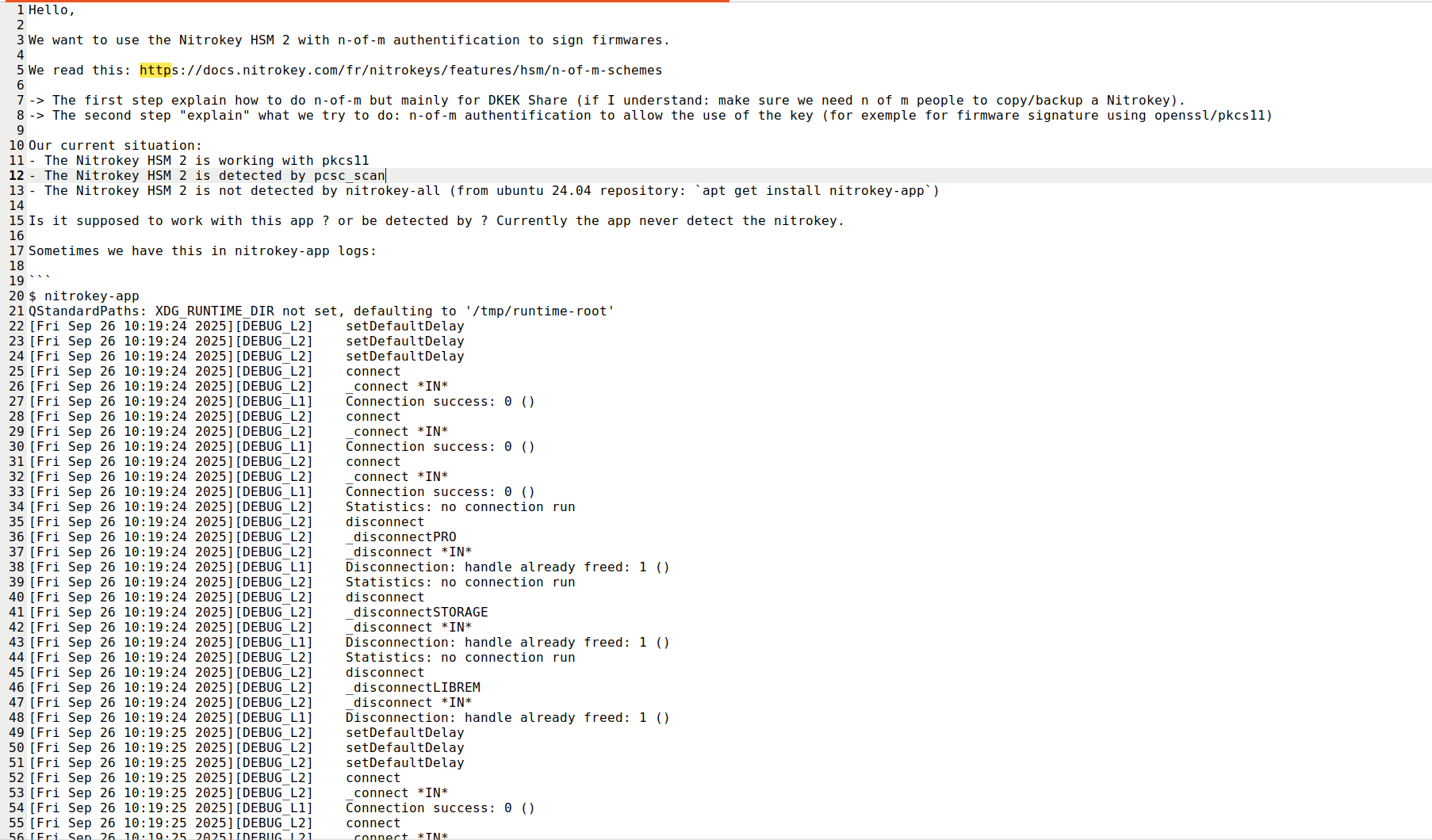
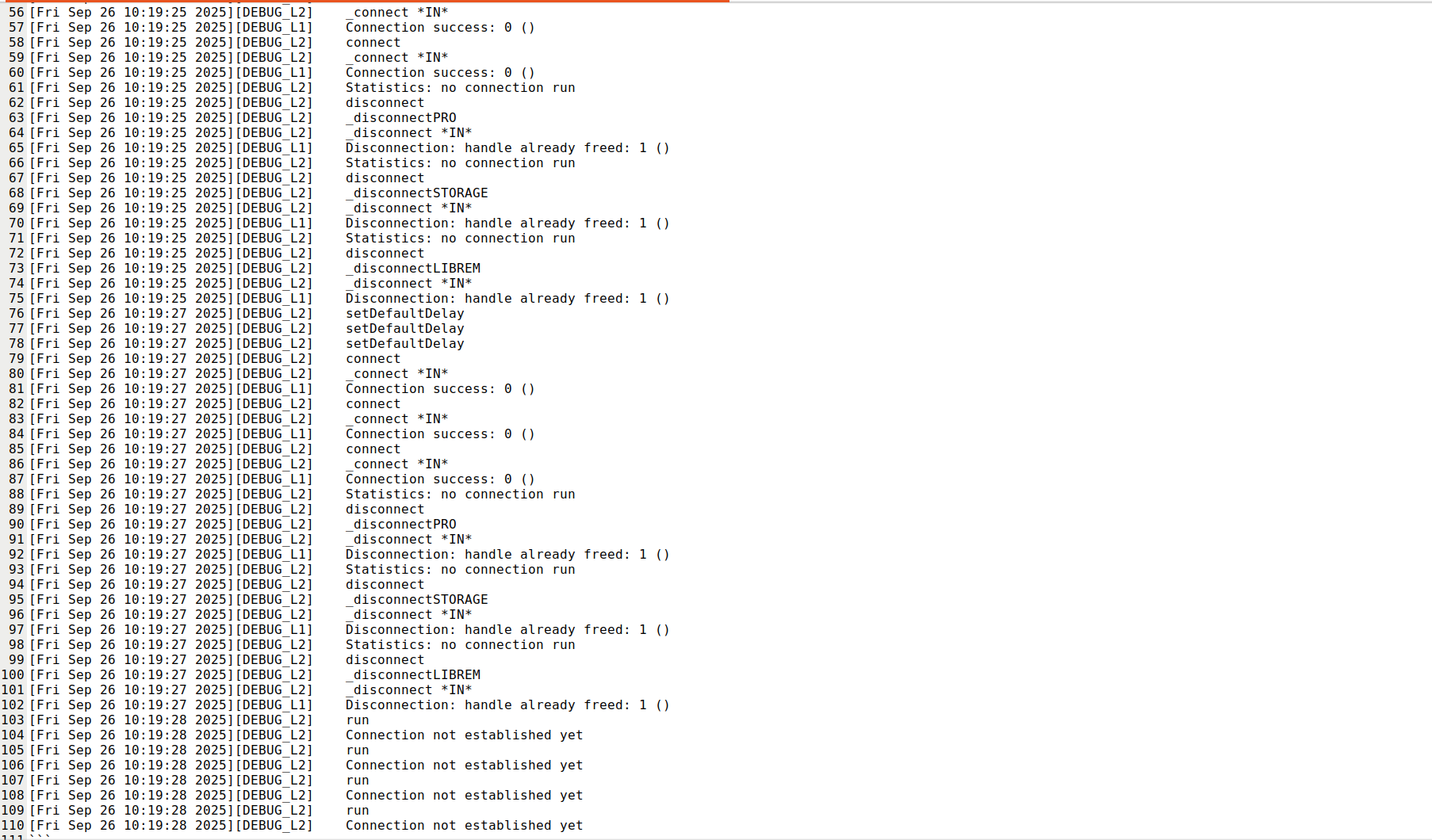
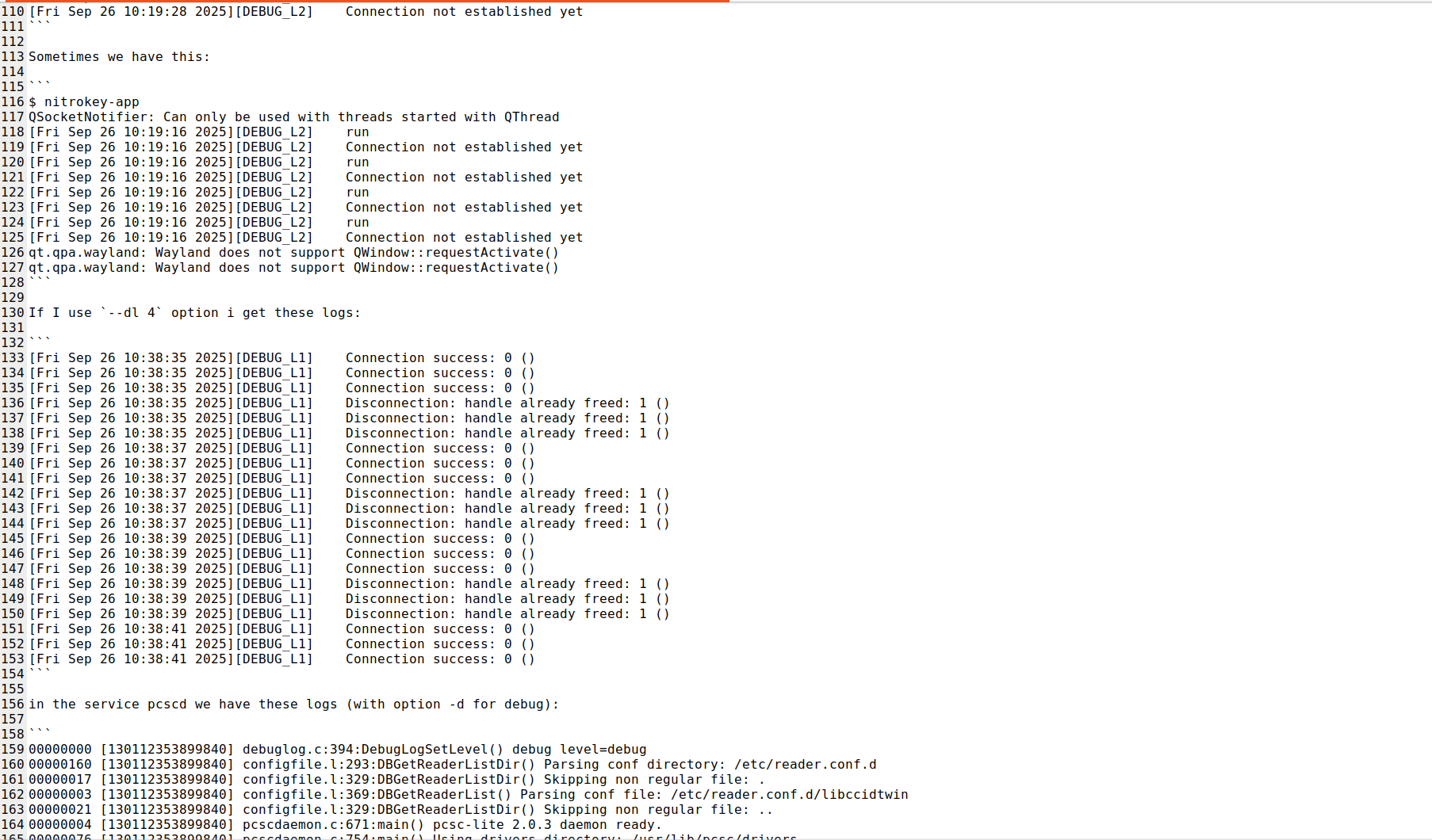
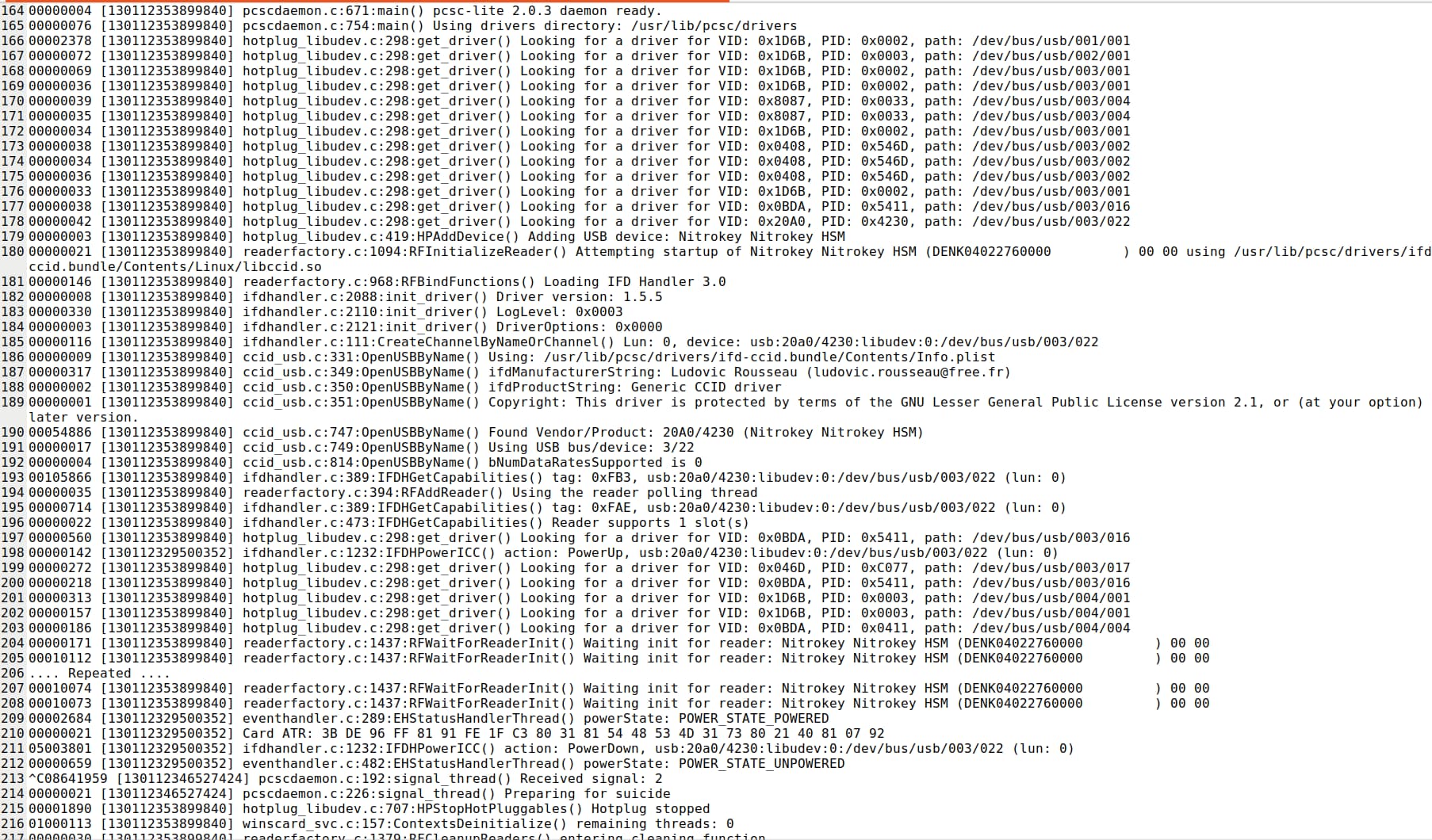
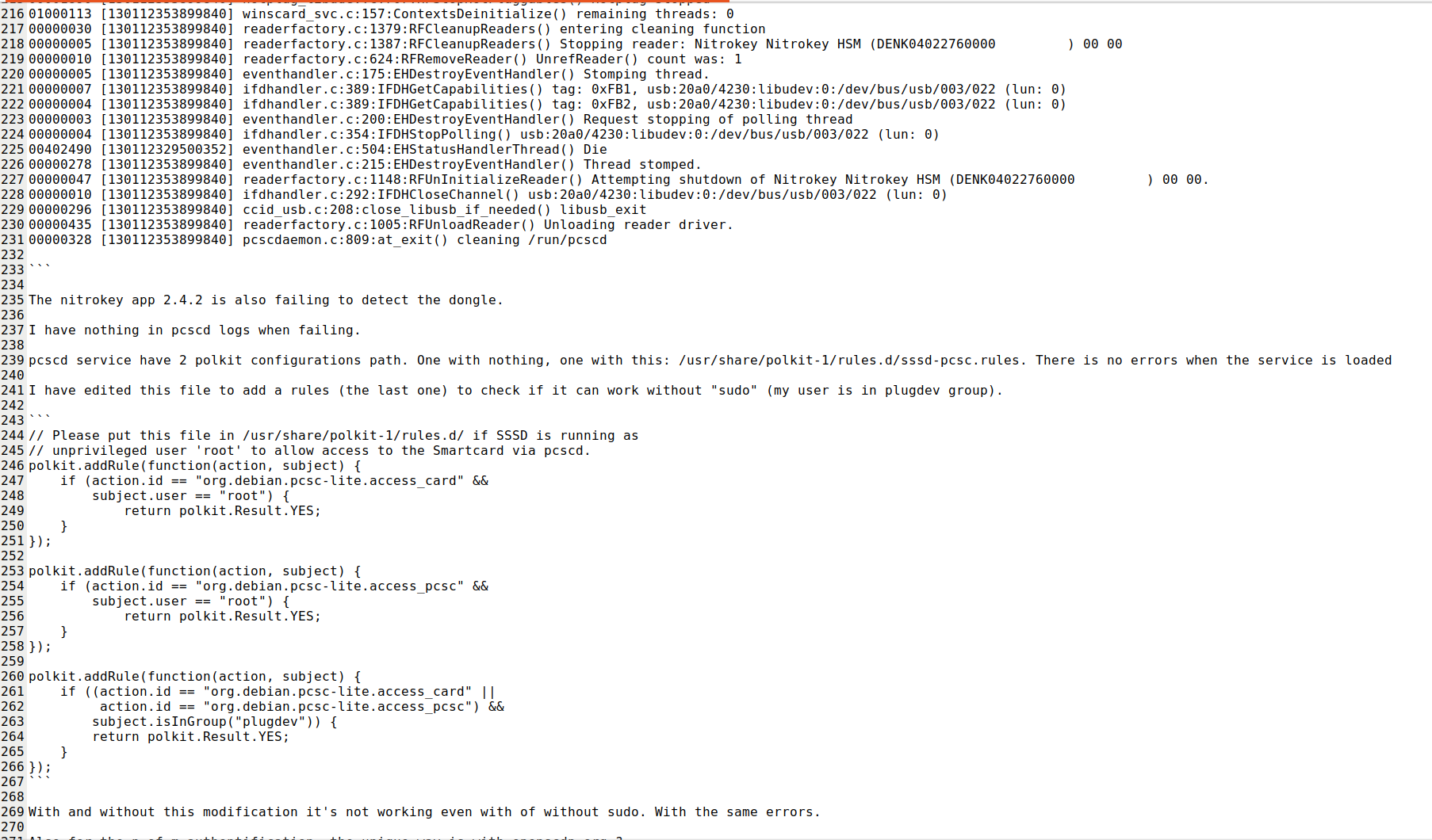

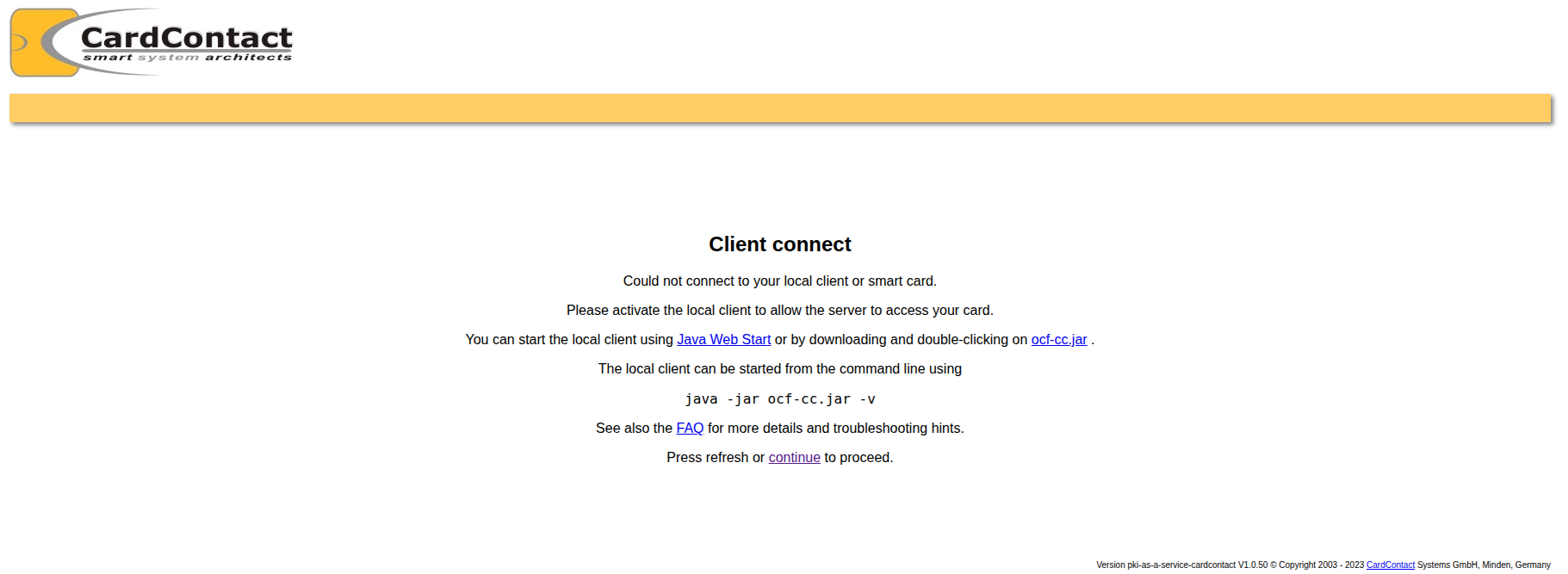

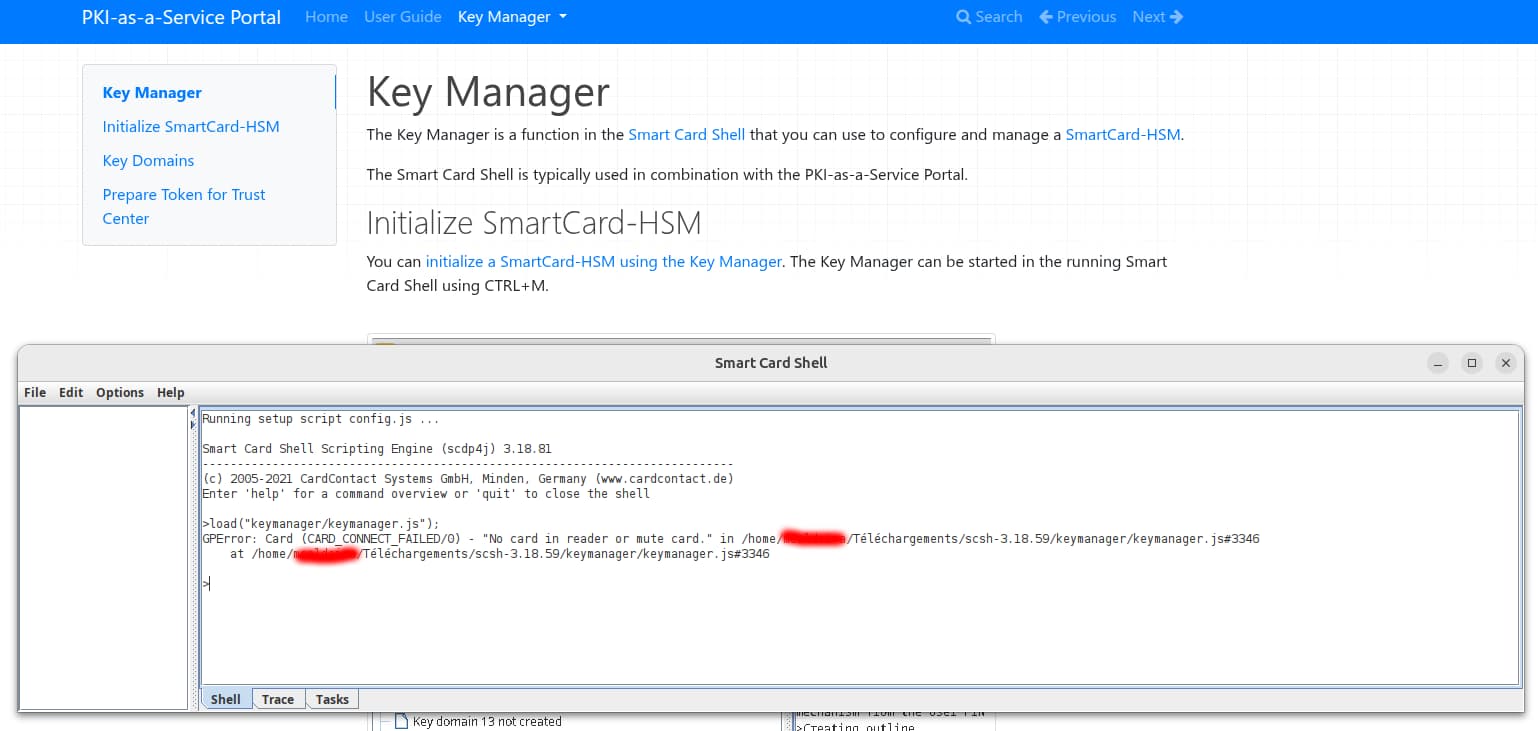

 .
.